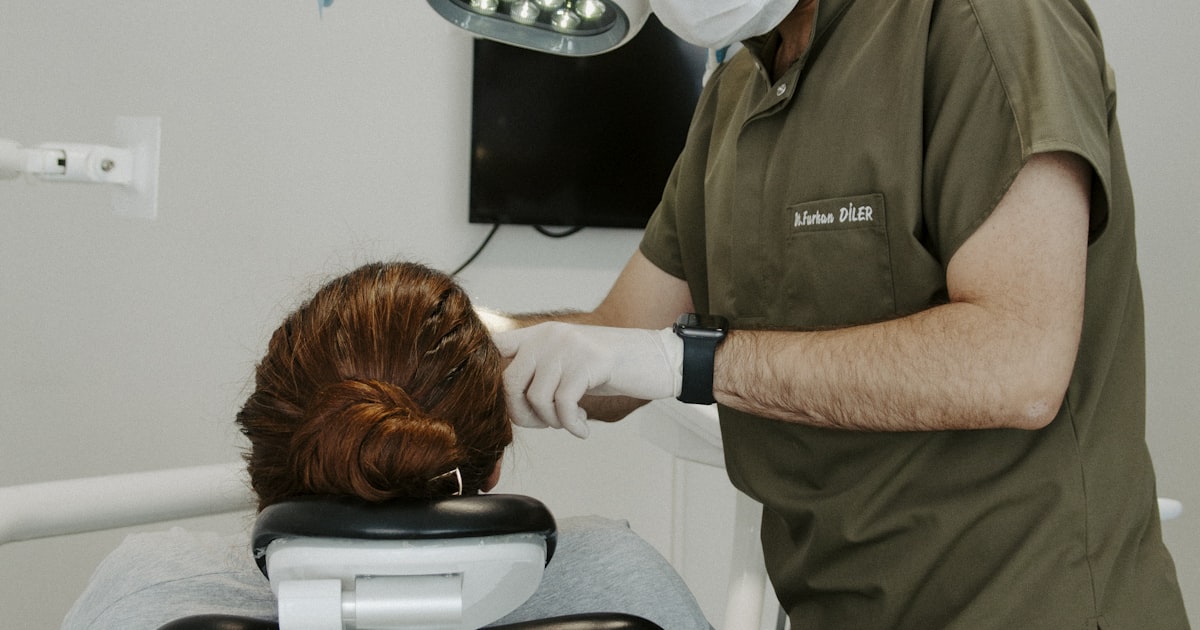
Every empty chair in your dental practice costs money. Between the hygienist's time, the dentist's blocked schedule, and the opportunity cost of a patient who needed that slot, no-shows are one of the biggest profit killers in dentistry.
The industry average no-show rate is 15-20%. For some practices, it's even higher. That's roughly one in five appointments that never happen.
Most practices try to solve this with manual reminder calls. Your front desk staff spends hours every day calling patients who often don't answer. It's tedious, time-consuming, and honestly, not very effective.
There's a better way. AI automation can handle appointment reminders, confirmations, and rescheduling automatically, cutting no-shows in half while freeing your team to focus on patients actually in your office.
The True Cost of Dental No-Shows
Let's do the math on what no-shows actually cost your practice:
Direct Revenue Loss
Average value of a dental appointment varies by type:
- Hygiene appointment: $150-300
- Restorative procedure: $500-2,000+
- New patient exam: $200-400
If you have 10 no-shows per week (not unusual for a busy practice), you're looking at:
- Conservative estimate: 10 × $200 = $2,000/week lost
- Annual impact: $104,000 in unrealized revenue
Indirect Costs
Beyond the immediate revenue, no-shows create:
Wasted staff time: Your hygienist is ready and waiting. Your assistant prepped the room. That's payroll with no production.
Scheduling gaps: Even if you can fill the slot, last-minute scrambles create chaos and patient experience suffers.
Treatment delays: Patients who no-show often delay necessary care, leading to worse outcomes and potentially emergency visits later.
Staff frustration: Nothing burns out your team faster than repeatedly preparing for patients who don't show.
Why Patients No-Show
Understanding the reasons helps us fix the problem:
- Forgot the appointment (40-50% of no-shows)
- Something came up (work, childcare, etc.)
- Nervous about the appointment (dental anxiety)
- Financial concerns (worried about cost)
- Transportation issues
Notice that the biggest reason is simply forgetting. This is the most solvable problem.
Traditional Reminder Methods (And Why They Fall Short)
Most dental practices use some combination of:
Manual Phone Calls
Pros: Personal touch, can answer questions Cons:
- Time-consuming (5-10 minutes per patient including voicemails)
- Low contact rate (40-60% go to voicemail)
- Patients often don't call back
- Your front desk has better things to do
Generic Text Blasts
Pros: Fast, reaches patients on their phones Cons:
- One-way communication (no confirmation ability)
- Can't handle responses
- Feels impersonal
- Often ignored
Email Reminders
Pros: Easy to automate, can include more information Cons:
- Low open rates (20-30%)
- Often ends up in spam
- Patients may not see in time
- No urgency
The Missing Piece
Traditional reminders share a common flaw: they're broadcast, not conversation.
When a patient gets a reminder and realizes they can't make it, what do they do? They have to call your office, wait on hold, and talk to someone. Most people avoid this friction, so they just no-show.
What if the reminder itself could handle the conversation?
How AI-Powered Appointment Reminders Work
Modern AI reminders are two-way, intelligent conversations that happen automatically:
The Automated Reminder Sequence
Here's what best-in-class looks like:
7 Days Before: Text: "Hi Sarah, quick reminder that you have a cleaning scheduled with Dr. Johnson next Tuesday at 2pm. Reply C to confirm, R if you need to reschedule."
If patient confirms: Appointment is marked confirmed in your system. Done.
If patient needs to reschedule: AI responds: "No problem! Here are some available times: [options]. Reply with the number of the time that works for you."
If patient asks a question: AI answers from your FAQ database or routes to staff for complex questions.
3 Days Before: Email: More detailed reminder including what to expect, any preparation needed, parking info, COVID protocols, etc.
1 Day Before: Text: "See you tomorrow at 2pm for your cleaning! Reply C to confirm you'll be there."
Day Of (4 hours before): Text: "Reminder: Your appointment with Dr. Johnson is at 2pm today at [address]. See you soon!"
What Makes AI Different
It understands responses. Patient replies "actually can I come at 3 instead?" The AI checks availability, offers alternatives, and rebooks, all without human intervention.
It handles common questions. "Do I need to fast for this?" "Is it okay if I'm 10 minutes late?" "Can I bring my kid?" The AI responds instantly with accurate information.
It escalates appropriately. "I'm having a lot of pain, can I come in sooner?" gets routed to a human immediately.
It learns patterns. Patients who tend to no-show get extra reminders. Patients who always confirm early can get fewer touches.
Beyond Reminders: Full Automation for Dental Practices
Once you have AI handling reminders, the same technology can handle:
Recall Management
Those patients who haven't been in for 6+ months? Instead of your staff manually calling through a list:
AI sends personalized outreach: "Hi Michael, it's been 8 months since your last cleaning at Smith Dental. Time flies! Dr. Smith recommends staying on your 6-month schedule. Would you like to book your next appointment? Here are some available times this week..."
New Patient Intake
When someone calls or requests an appointment online:
- AI captures their information
- Asks about insurance
- Collects medical history basics
- Sends forms to complete before arrival
- Confirms the appointment
By the time they arrive, their chart is ready.
Post-Appointment Follow-Up
After visits:
- Thank you message
- Care instructions (especially important after procedures)
- Review request (timing is everything, ask when they're still in the "great experience" glow)
- Next appointment reminder
Waitlist Management
Someone cancels last-minute. AI immediately texts patients on your waitlist:
"Hi Jennifer, a spot just opened up for tomorrow at 10am. Would you like to take it? Reply YES to book or NO to stay on the waitlist."
First to respond gets the slot. No staff time required.
Emergency/Urgent Triage
Patient texts at 9pm: "I chipped my tooth, how bad is this?"
AI can:
- Ask clarifying questions (pain level, bleeding, etc.)
- Provide appropriate guidance
- Schedule emergency appointments if needed
- Alert on-call staff for true emergencies
Implementation: What You Need
Technical Requirements
-
Practice Management Software Integration Your AI needs to talk to your scheduling system. Most modern PMS platforms (Dentrix, Eaglesoft, Open Dental, Curve) support integrations.
-
Two-Way Texting Capability Patients need to be able to respond, not just receive. This requires a dedicated business number and messaging platform.
-
HIPAA Compliance Any AI handling patient communication must be HIPAA-compliant. Look for BAA (Business Associate Agreement) availability.
-
Staff Training Your team needs to understand what the AI handles vs. what they handle, and how to monitor/override when needed.
What to Look For in a Solution
Dental-specific or adaptable: Generic solutions can work but need customization for dental terminology and workflows.
True AI, not just templates: Look for natural language processing that can handle varied responses, not just exact keyword matching.
Easy scheduling changes: Patients should be able to reschedule through the AI without calling your office.
Reporting: Track confirmation rates, response rates, and no-show reduction to measure ROI.
Reasonable pricing: Should be based on appointment volume or message volume, not surprise overages.
Results: What to Expect
Dental practices implementing AI reminders typically see:
Immediate Impact (First Month)
- Confirmation response rates: 60-80% (vs. 40-50% with calls alone)
- No-show reduction: 25-35%
- Staff time saved: 10-15 hours/week
After 3 Months
- No-show reduction: 40-50%
- Patient satisfaction improvement (they appreciate the convenience)
- Significant reduction in same-day cancellations
- Waitlist fill rate improvement
ROI Calculation
Monthly cost of solution: $200-400
Appointments saved (conservative): 20/month
Average appointment value: $250
Monthly revenue preserved: $5,000
ROI: 12x-25x
This doesn't include the soft benefits: less stressed staff, happier patients, more predictable scheduling.
Getting Started: 5-Step Implementation Plan
Step 1: Audit Your Current State
- What's your no-show rate? (Run the report)
- How are reminders currently handled?
- How much staff time goes to reminder calls?
- What's your current confirmation rate?
Step 2: Choose Your Solution
Evaluate based on:
- Integration with your PMS
- HIPAA compliance
- AI capability (true AI vs. basic automation)
- Cost structure
- Support quality
Step 3: Set Up and Customize
- Configure reminder timing and sequences
- Customize message templates for your voice
- Set up escalation rules
- Train the AI on your FAQs
Step 4: Pilot
- Start with a subset of appointments (new patients, or one provider)
- Monitor closely for the first 2 weeks
- Adjust based on what you learn
Step 5: Roll Out and Optimize
- Expand to full practice
- Track metrics monthly
- Continuously improve sequences based on data
Addressing Common Concerns
"Our patients are older and prefer phone calls"
Data shows otherwise. Text message open rates are 98%, with 90% read within 3 minutes. Even patients 65+ are increasingly text-friendly. And for those who truly prefer calls, AI can handle that too via voice outreach.
"We like the personal touch of calling patients"
Keep that for the relationships that benefit from it. Does your most anxious patient need a personal call before their root canal? Absolutely. Does every routine cleaning need a live person to confirm? Probably not.
Use AI to handle the routine so your team can provide the personal touch where it matters.
"What about HIPAA?"
Choose a solution built for healthcare. Proper AI solutions are HIPAA-compliant, sign BAAs, and handle PHI appropriately. Never use consumer tools (personal iMessage, WhatsApp) for patient communication.
"Our staff is worried about job security"
AI handles the tedious parts of their job (repetitive calls, basic questions). This frees them to do higher-value work: complex scheduling, insurance questions, patient relationships, and all the things that require human judgment. Better work, not no work.
The Bottom Line
No-shows are a solvable problem. Every empty chair is revenue lost, staff time wasted, and patient care delayed.
AI-powered reminders and communication don't just send messages, they have conversations. Patients can confirm with a single text. Rescheduling is effortless. Questions get answered instantly. And your front desk can focus on patients in the office, not phones.
The math is simple. If automation saves you from 20 no-shows per month, it pays for itself many times over. Everything beyond that is profit.
Ready to Reduce No-Shows at Your Dental Practice?
NovaSoft AI helps dental offices automate appointment reminders, confirmations, and patient communication. Our AI handles the back-and-forth so your staff can focus on care.
See it in action: Visit novasoftai.com to learn how dental practices are cutting no-shows in half with intelligent automation.
Frequently Asked Questions
How much can appointment reminders reduce no-shows?
Most dental practices see a 40-50% reduction in no-shows with properly implemented AI reminders, compared to traditional reminder calls alone.
Is text messaging HIPAA compliant for dental offices?
Yes, when using a HIPAA-compliant platform with proper safeguards. Look for solutions that offer Business Associate Agreements and encrypt PHI appropriately.
Can patients book or reschedule appointments via text?
With AI automation, yes. Patients can request to reschedule, see available times, and book new appointments all through text conversation.
How do automated reminders integrate with dental software?
Most AI solutions integrate with popular practice management systems like Dentrix, Eaglesoft, Open Dental, and Curve through APIs or direct integrations.
What if a patient has a complex question the AI can't answer?
Good AI knows its limits. Complex questions or situations (insurance specifics, clinical concerns, unusual requests) get routed to your staff with full conversation context.